

Management software built for dental clinics
Your clinic.
All in one place.
Manage your patients, appointments, treatments and clinic finances in one system, built to bring clarity to your working day.
- Built for dental clinics
- Arabic and English
- Schedules, records and finances

Today’s schedule
09:00
10:30
11:15
12:00
13:30
Patient journey
From the first appointment to the final payment.
Connect patient records, appointments, visits and invoices in one clear workflow.
Patient record
Core patient details in one organized place.
Appointment
Schedule the visit in the clinic calendar.
Visit and treatment
Document the services provided.
Invoice
Record the cost of the visit’s services.
Payment
Track payments and the remaining balance.
Next appointment
Keep upcoming visits clear.
Clinic tools
Everything your clinic needs, connected.
Connected tools for your clinic’s day, from reception to patient accounts.
Patient records
Access patient details, visits and notes in one organized record.
Appointment scheduling
Organize appointments and keep track of the day’s scheduled visits.
Visits and treatments
Document each visit and connect it to the patient’s record.
Invoices and payments
Keep invoices, payments and outstanding amounts clear.
Clinical documents
Prepare prescriptions, referrals and documents with your clinic’s details.
Team permissions
Manage team access according to each person’s role.
Appointment reminders
Send appointment reminders after configuring the clinic’s messaging channel.
Arabic and English
Use the system in the language that suits your team.
Inside the system
See Maw’id in action.
From patient registration to the visit’s account, see the workflow in action.
Organize the clinic’s day
The schedule brings the day’s visits into one view.
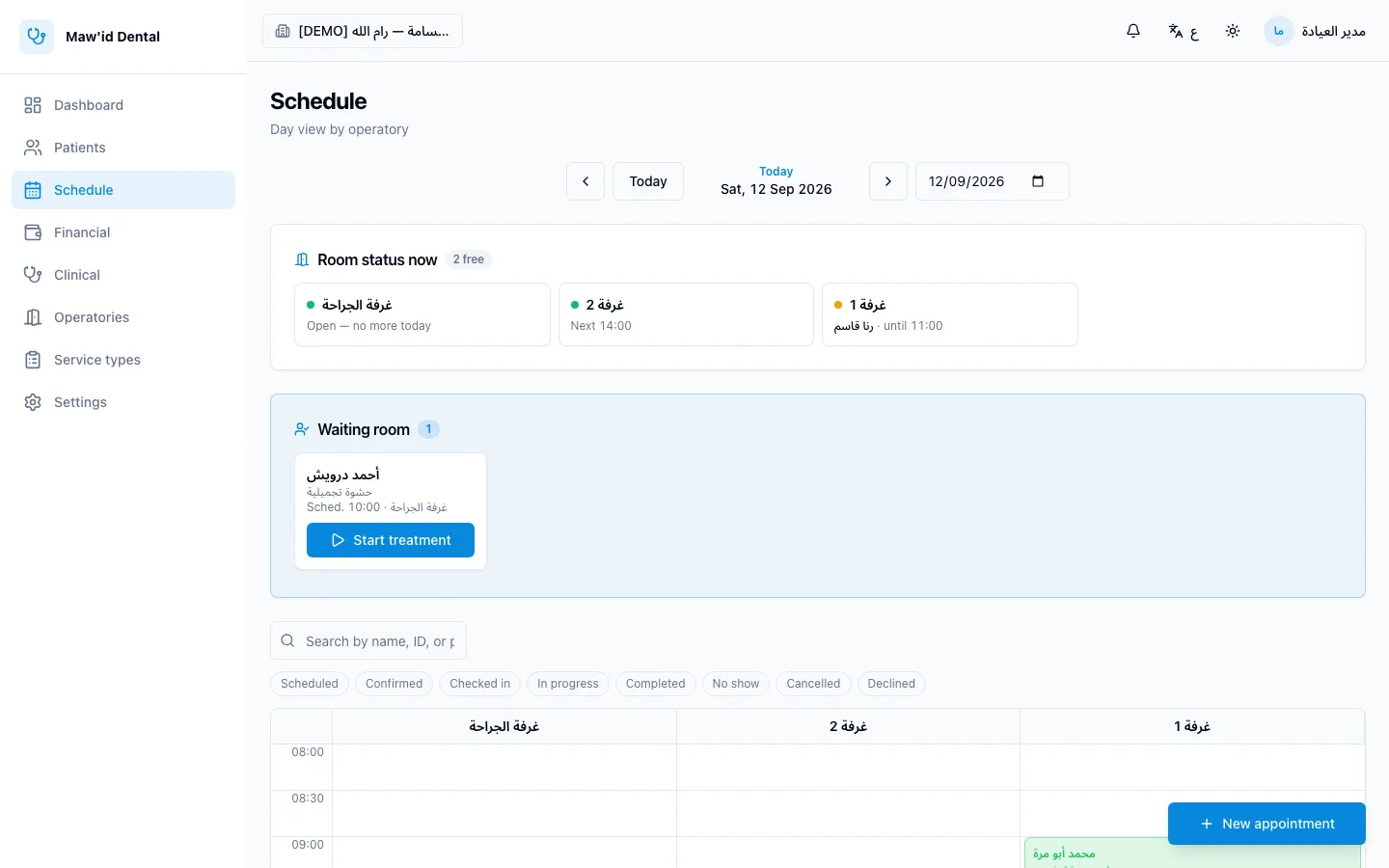
Organize the clinic’s day
Actual product screen from an isolated synthetic dataset
Open the patient record
Details and previous visits in one place.
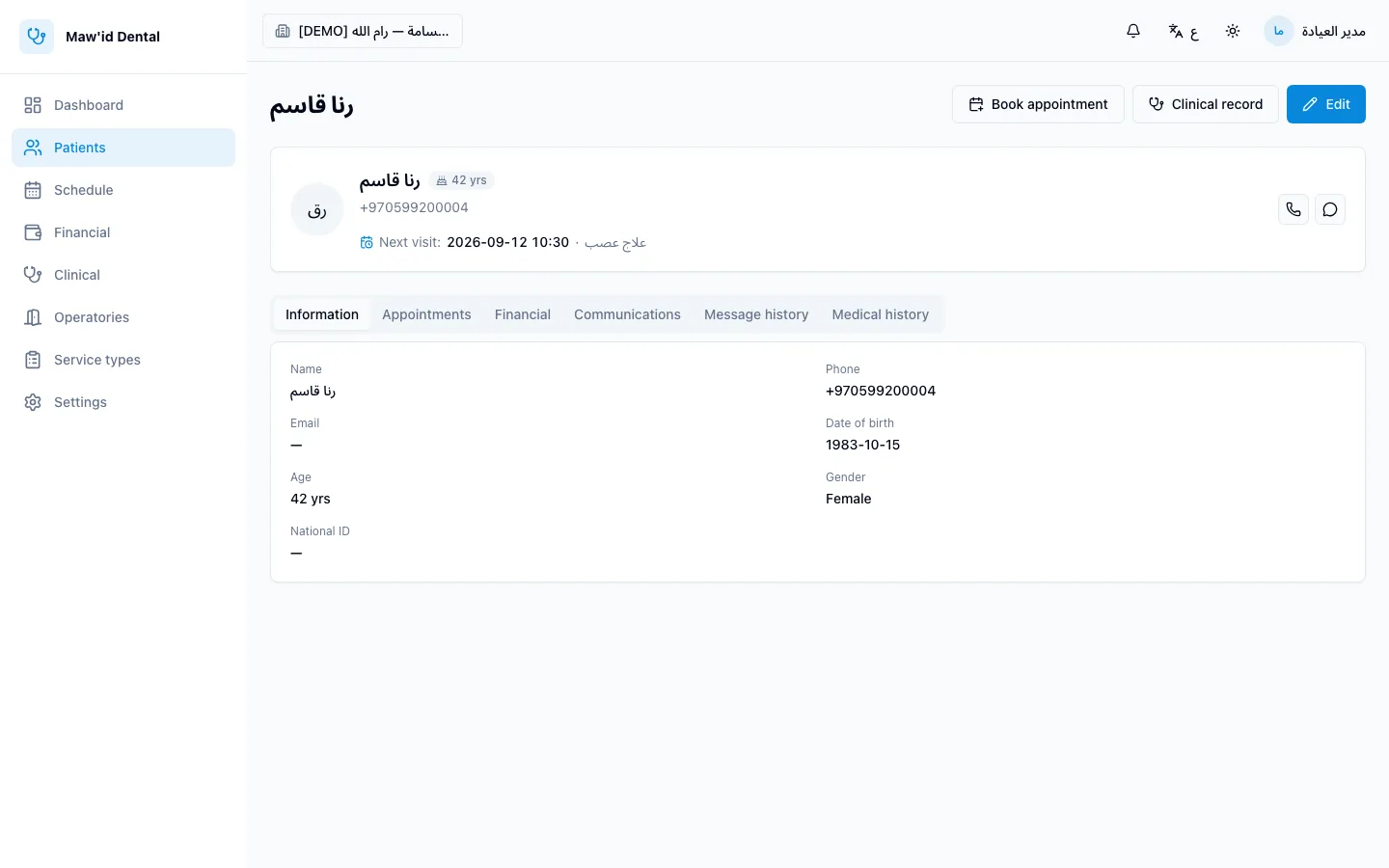
Open the patient record
Actual product screen from an isolated synthetic dataset
Record the visit and issue the invoice
Log the services provided and issue the visit’s invoice.
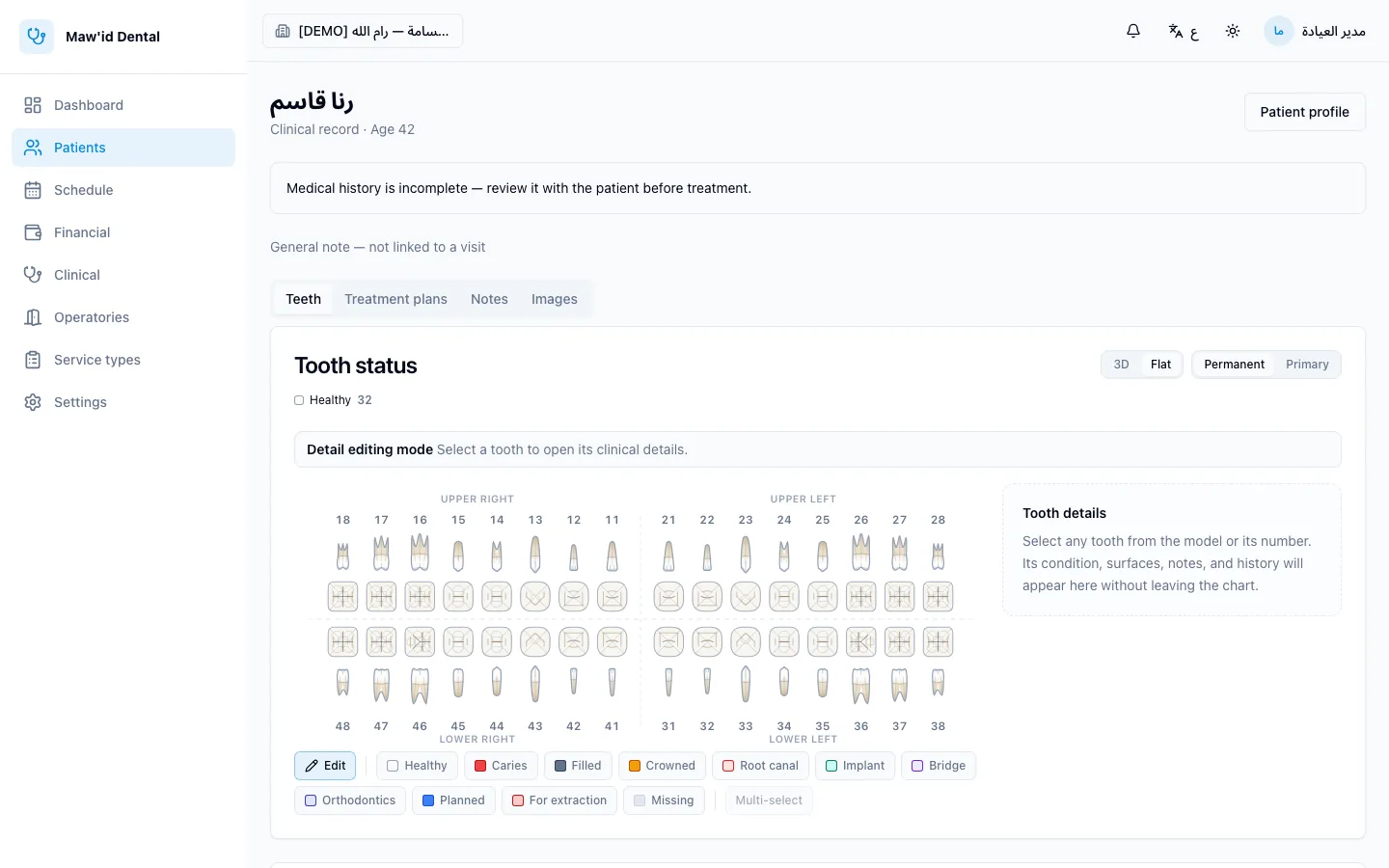
Record the visit and issue the invoice
Actual product screen from an isolated synthetic dataset
Keep patient accounts clear
Payments and the remaining balance, directly in front of you.
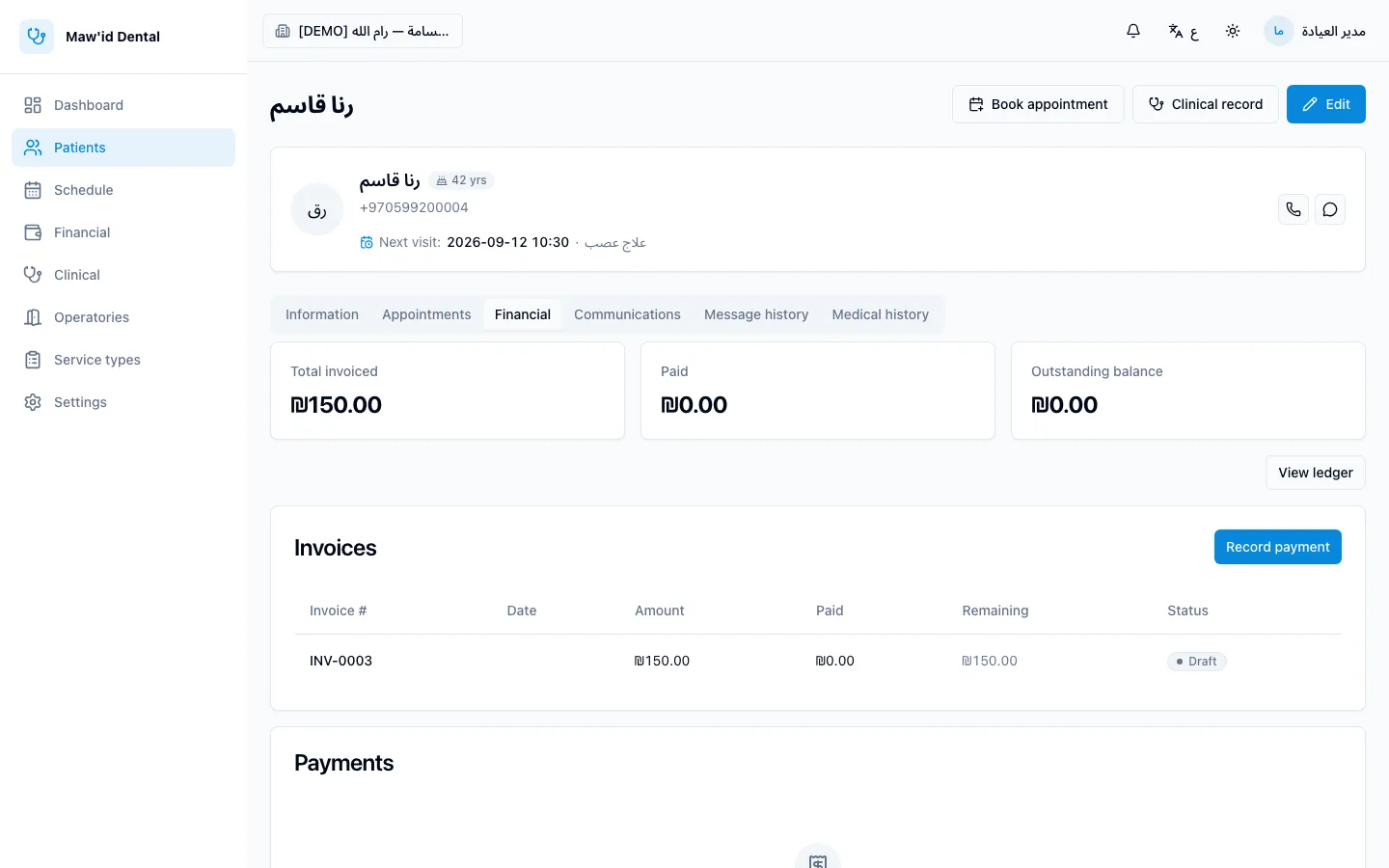
Keep patient accounts clear
Actual product screen from an isolated synthetic dataset
Organize the clinic’s day
Actual product screen from an isolated synthetic dataset
Appointment reminders
An appointment to keep.
A reminder from Maw’id.
Send WhatsApp appointment reminders according to your clinic’s settings and track their sending status.
- Linked to the appointment
- Timing follows your settings
- Sending status tracked
Requires the clinic’s messaging channel to be configured and enabled.
Al-Ibtisama Clinic
Example reminder message
Hello Ahmad, this is a reminder of your appointment at Al-Ibtisama Clinic on Sunday at 4:00 PM. To ask a question or change the appointment, contact the clinic.
10:30 AM
Clinic accounts
A clear view of every patient’s account.
Track invoices, payments, balances and cheques, and see what has been paid and what remains due.
Why Maw’id?
Built around how a dental clinic actually works.
Built for dentistry
Tools aimed at dental clinic work, not a general system adapted after the fact.
Arabic and English
A full interface in both languages, each with the right reading direction.
Connected information
Record, appointment, visit and invoice are linked to one another.
Clear for the whole team
Direct screens that reception and dentists both use.
Before you start
Frequently asked questions
Is Maw’id specific to dental clinics?
Yes. It brings patient, appointment, visit and account management together in a system built for dental clinics.
Does it support Arabic and English?
Yes, each with the appropriate reading direction.
How can I explore the system before deciding?
Contact us and we’ll arrange a walkthrough of the system suited to your clinic’s needs.
How do I enable WhatsApp reminders?
The clinic needs to configure and enable its messaging channel, then choose the reminder settings that suit it.
Do I have to send you my patients’ data to get in touch?
No. We only need the clinic’s contact information — please don’t send files or medical information.
Can my clinic’s existing data be migrated?
We review the type of data and how it is stored, then determine what is possible and what it requires before committing to a migration.
Start organizing your clinic today.
Your clinic’s details, connected. Contact us to discuss your team’s needs.

Contact us
Fill in the form and we’ll get in touch to discuss your clinic’s needs.